Mastering the Art of Flower Hand Draw Cartoon Doodle for Professional Design
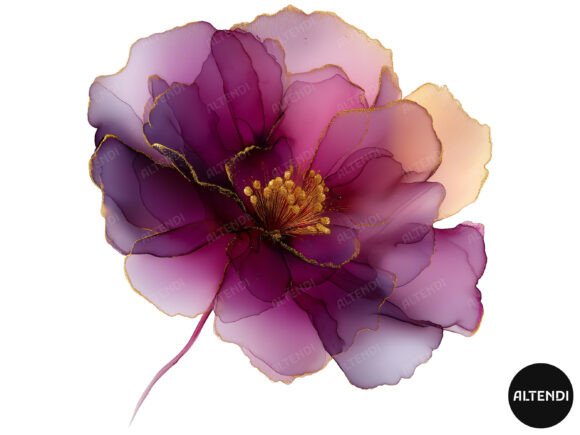
In the world of digital design, authenticity often beats perfection. This is precisely why Flower Hand Draw Cartoon Doodle assets have become indispensable tools for creators ranging from wedding planners to small business owners. Unlike rigid, computer-generated vector shapes, hand-drawn elements carry a warmth and personality that resonates with audiences. However, simply downloading a pack of floral graphics does not guarantee a polished final product. Many creators stumble not because they lack talent, but because they misunderstand how to integrate these whimsical elements into professional workflows.
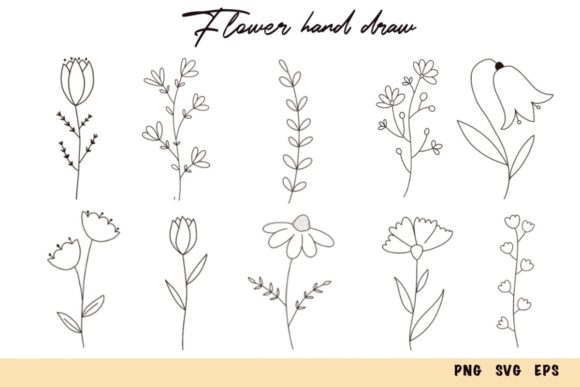
A high-quality set, such as one containing ten beautifully hand-drawn flowers, offers versatility across weddings, invitations, greeting cards, blogs, and scrapbooking. Yet, the difference between a amateurish collage and a cohesive brand identity often lies in the technical details and artistic application. Understanding the nuances of file formats, resolution, and stylistic consistency can save you hours of frustration and ensure your projects look intentional rather than accidental.
The Trap of Ignoring File Format Specifics
One of the most common mistakes beginners make is treating all digital image files as interchangeable. When you purchase a bundle that includes PNG, SVG, and EPS files, each format serves a distinct purpose. Using the wrong one can severely impact the quality of your output or limit your editing capabilities.
For instance, many users rely solely on PNG files because they are easy to drag and drop. While PNGs with transparent backgrounds are excellent for quick blog headers or social media posts, they are raster-based. This means they have a fixed resolution. If you attempt to scale a small PNG up for a large print banner, it will pixelate and lose clarity. Conversely, SVG and EPS files are vector-based. They use mathematical paths rather than pixels, allowing you to scale them to any size without losing quality. This is critical for large-format printing, such as wedding backdrops or storefront signage.
Better Approach: Always assess your final output medium before selecting a file. Use SVG or EPS for anything that needs to be printed larger than a standard sheet of paper or requires crisp edges at any zoom level. Reserve PNGs for web-only applications where file size and loading speed are priorities. By keeping the original vector files intact, you future-proof your designs against unexpected resizing requests.
Overlooking Resolution and Print Quality
Another frequent oversight involves resolution. Digital screens typically display images at 72 DPI (dots per inch), which looks fine on a monitor but appears blurry when printed. A professional-grade asset should offer a resolution of at least 300 DPI. If you download low-resolution doodles and attempt to print them on high-quality cardstock for invitations, the edges will appear jagged and unprofessional.
This issue is particularly prevalent among hobbyists who may not distinguish between screen-ready and print-ready assets. The consequence is wasted material and disappointed clients. For example, a freelancer creating custom greeting cards might find their floral borders look soft and undefined after printing, undermining the perceived value of their work.
Practical Advice: Before starting any print project, verify the DPI of your source files. If you are using PNGs, ensure they are saved at 300 DPI at the actual size you intend to print. If you are working with vectors, this concern is mitigated, but you must still ensure your design software exports the final document at the correct resolution for the printer’s requirements.
Misjudging Stylistic Consistency
While individual flower illustrations may look charming in isolation, combining them without considering stylistic harmony can result in a chaotic composition. A "hand-drawn" style can vary significantly—from rough, sketchy charcoal lines to clean, inked outlines or watercolor washes. Mixing a thick, bold cartoon doodle with a delicate, fine-line botanical sketch often creates visual dissonance.
Creators often fall into the trap of using every element in a bundle just because they paid for it. This leads to cluttered designs where the focal point is lost. In marketing materials, such as blog graphics or product packaging, clarity is key. If the viewer’s eye cannot easily navigate the design due to conflicting line weights and styles, the communication fails.
Solution: Treat your flower set as a curated palette. Choose two or three complementary elements and stick to them throughout a single project. If you need variety, adjust the color opacity or rotation rather than mixing disparate artistic styles. Consistency builds trust and recognition, which is vital for branding.
Neglecting Licensing and Commercial Use Rights
Perhaps the most critical error involves intellectual property. Many creators assume that purchasing a digital download grants them unlimited rights to resell the raw files or use them in trademarked logos. This is rarely the case. Most standard licenses allow for end-product creation—such as printing the flowers on mugs or including them in wedding invitations—but prohibit redistributing the original SVG or PNG files as standalone clip art.
Violating these terms can lead to legal issues and takedown notices, which are costly and damaging to a reputation. Entrepreneurs and small business owners must read the license agreement carefully. Some artists require an extended license for mass production runs exceeding a certain number of units.
Checklist for Buyers:
- Verify if commercial use is permitted for physical products.
- Confirm whether there are limits on the number of printed copies.
- Ensure you are not reselling the digital files themselves.
- Check if attribution is required for web usage.
Optimizing Workflow for Efficiency
Finally, inefficient workflow practices can hinder creativity. Manually removing backgrounds from non-transparent images is a time-consuming task that is entirely unnecessary when you have access to pre-clipped PNGs. Similarly, tracing over raster images to create vectors is redundant when EPS files are provided.
To maximize efficiency, organize your assets immediately after download. Create folders for "Web Assets" (PNGs) and "Print Assets" (SVGs/EPSs). When working in design software like Adobe Illustrator or Canva, utilize layers effectively. Place your flower doodles on separate layers so you can adjust their position, size, and opacity independently without affecting the text or background.
By approaching Flower Hand Draw Cartoon Doodle resources with a strategic mindset, you elevate your work from simple decoration to effective visual communication. Whether you are crafting a heartfelt scrapbook page or designing a corporate brochure, respecting the technical and artistic integrity of these tools ensures your final product is both beautiful and professional. Take the time to understand the formats, respect the licenses, and maintain stylistic coherence, and you will find these hand-drawn elements become some of the most valuable assets in your creative toolkit.